Two days ago Anthropic shipped a new iteration of multi-agent workflows inside Claude Code. The official name in the documentation is agent view, opened with the claude agents command, I will use both “agent view” and “Claude Agents” in this article since the community has already started using the second term. Multi-agent is not a brand new topic for CLI coding tools, Claude Code and Codex have both been experimenting with it for months, but the way Anthropic exposes it now is genuinely different, and worth a careful look from anyone who runs more than one AI session at a time on an iOS codebase.
A quick bit of history first. Back in February 2026, Anthropic shipped what I would call the per-session multi-agent model: each agent ran in its own Claude Code session, and you switched between them from the outside, typically with tmux. That workflow works, but it puts the burden of orchestration entirely on you. We covered exactly that pattern in Chapter 8 of our book AI-Driven Swift Architecture, including how to spin up several agents in parallel tmux panes and route attention between them manually.
Claude Agents replaces that. The agents now live inside Claude Code itself, in a dedicated view. You switch between them, monitor their state, and follow their full lifecycle without ever leaving the CLI. No more tmux gymnastics, no more “which pane is the test agent in again?”, you just select the agent.
Prerequisite: Claude Code v2.1.139 and claude update
Before anything else, you need a recent enough Claude Code build. (If you are setting Claude Code up from scratch on Apple Silicon, the Claude Code for Xcode 26 guide walks through install, authentication, and pricing first.) The agents view is a research preview and it requires Claude Code v2.1.139 or later. A simple
claude updateis usually enough to get you on the right version. If claude --version reports something older, the new view will not appear and nothing in this article will line up with what you see on screen. Once installed, you open it with:
claude agentsThe Claude Agents view at a glance
Once you are on the right version and Opus 4.7 is selected as the model, agent view shows up as a first-class panel inside Claude Code.
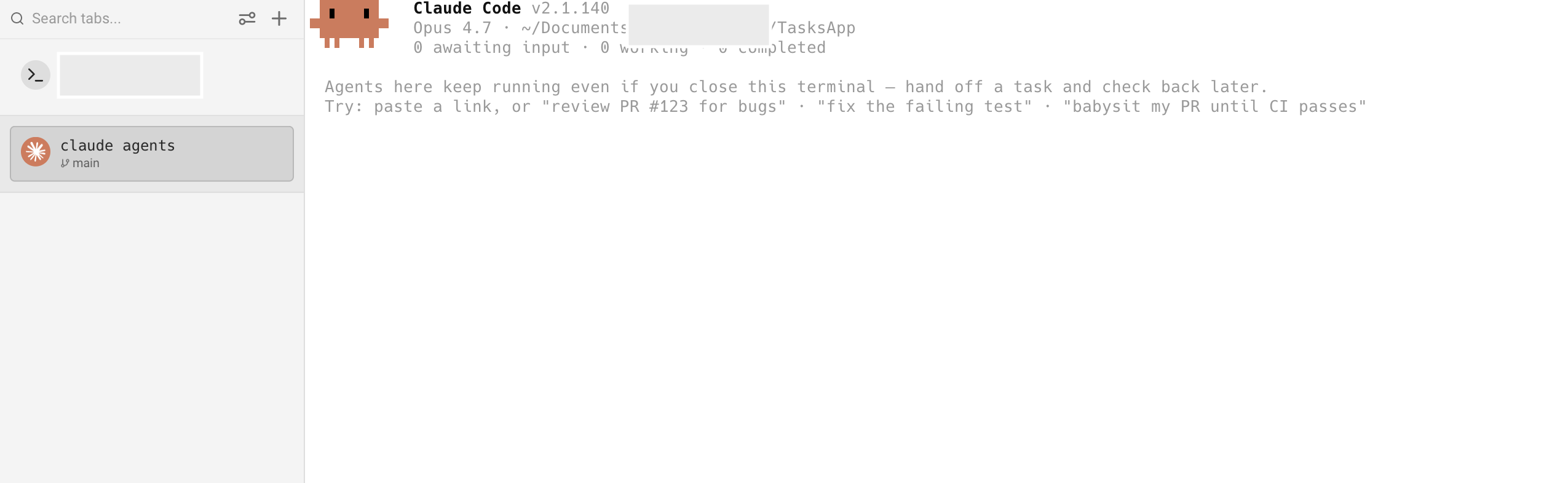
This is the entry point. Each row in that panel will represent an agent. Submitting a prompt to it spawns a new agent that immediately enters a working state on the task you described, independently from whatever you are doing in the main session.
Claude Agent lifecycle: the six states explained
The reason this matters more than the older tmux setup is the lifecycle. Claude Code now treats each agent as a real long-running unit with a state you can observe at a glance. The documentation defines six states, each with its own icon signal:
- Working, the agent is actively running tools or generating a response. The row shows an animated icon, the kind that signals “I’m still chewing on it, don’t interrupt.” This is the default state right after you submit a prompt.
- Needs input, the agent is blocked waiting on you, usually because a tool call needs explicit authorisation, or because the prompt hit an ambiguous decision the agent does not want to make alone. The icon goes yellow. Until you act, the agent does not advance.
- Idle, the session has nothing to do and is ready for your next prompt. The icon is dimmed. This is the resting state of an agent you have attached to but not yet given a task.
- Completed, the task finished successfully. The icon goes green. The summary the agent produced is now available for you to read.
- Failed, the task ended with an error. The icon goes red. Failures stay visible in the list so you do not miss them under a pile of completed sessions.
- Stopped, you killed it. The icon goes grey. To trigger this state, select the agent and press
Ctrl + X. Useful when a run has clearly gone off the rails and you would rather restart with a tighter prompt than babysit it. A secondCtrl + Xwithin two seconds deletes the session entirely, along with its worktree, so be deliberate.
Those six states are the whole API surface of orchestration. Once you internalise them, multi-agent workflows stop feeling like a juggling act.
A real experiment: two Claude Agents on a Swift to-do list app
To put this into practice I picked a small, deliberately under-architected project: a Swift to-do list iOS app. The kind of codebase a lot of teams actually have lying around, a few view controllers, persistence wired in directly from the UI layer, no DI, no tests. It is the perfect playground because the work decomposes very naturally into two independent streams:
- Stream A, migrate the legacy code toward Clean Architecture. Extract a domain layer, introduce protocols, move persistence behind a repository, kill the implicit singletons.
- Stream B, backfill the unit tests. Cover the domain logic that Stream A is producing, with proper fakes and deterministic assertions.
I want these two streams to run at the same time, with two different agents, on two different worktrees, and I want to deliberately see how Claude Code handles the synchronisation between them. That is the actual subject of this article, the agent UI is just the entry point.
A small prompting trick
One thing I have settled into over the last few months: I no longer write the prompt for an architectural agent directly. I describe what I want in plain language to ChatGPT first, let it shape a structured, intent-rich prompt, and then I paste that into Claude Agents. ChatGPT is, in my experience, particularly strong at prompt shaping, it pushes back, asks clarifying questions, and produces prompts that age well. Claude, on the receiving end, is excellent at executing those prompts inside a real codebase. Using the two together is, frankly, the most productive workflow I have found.
So both prompts, the Clean Architecture refactor one and the unit-testing one, were authored by ChatGPT and handed to Claude Agents. Then I hit submit on both, back to back.
Two agents, side by side
Within seconds the agents panel shows both of them in the working state, animated icons running side by side.

Notice that nothing about your main Claude Code session is blocked. You can keep working in the main thread, ask questions, read files, plan the next step, while the two agents grind in the background. This is the part the tmux workflow could never give you cleanly: a shared, in-process control plane for your agents.
What “Needs input” really looks like
A few minutes in, one of the agents flips to yellow.

This is the part of the lifecycle that is the most underrated. The agent has hit a permission boundary, typically a tool call that requires explicit authorisation, or a destructive action it refuses to take on its own. Until you select the agent (with ↑ / ↓), peek into it with Space and answer, it sits there. No silent fallback, no “I’ll just do something simpler.” That sounds annoying, but in practice it is the single biggest safety improvement over the old tmux model, where an agent could quietly take a wrong turn and you would only discover it three minutes later.
Drilling into an agent
Agent view is entirely keyboard-driven. You move between rows with ↑ and ↓, press Space to open the peek panel (a quick read on the agent’s most recent output, or the question it is waiting on), and press Enter or → to attach, that is, to take over the agent’s full conversation in your terminal, exactly as if you had run claude against that session. Pressing ← on an empty prompt detaches you back to the list.
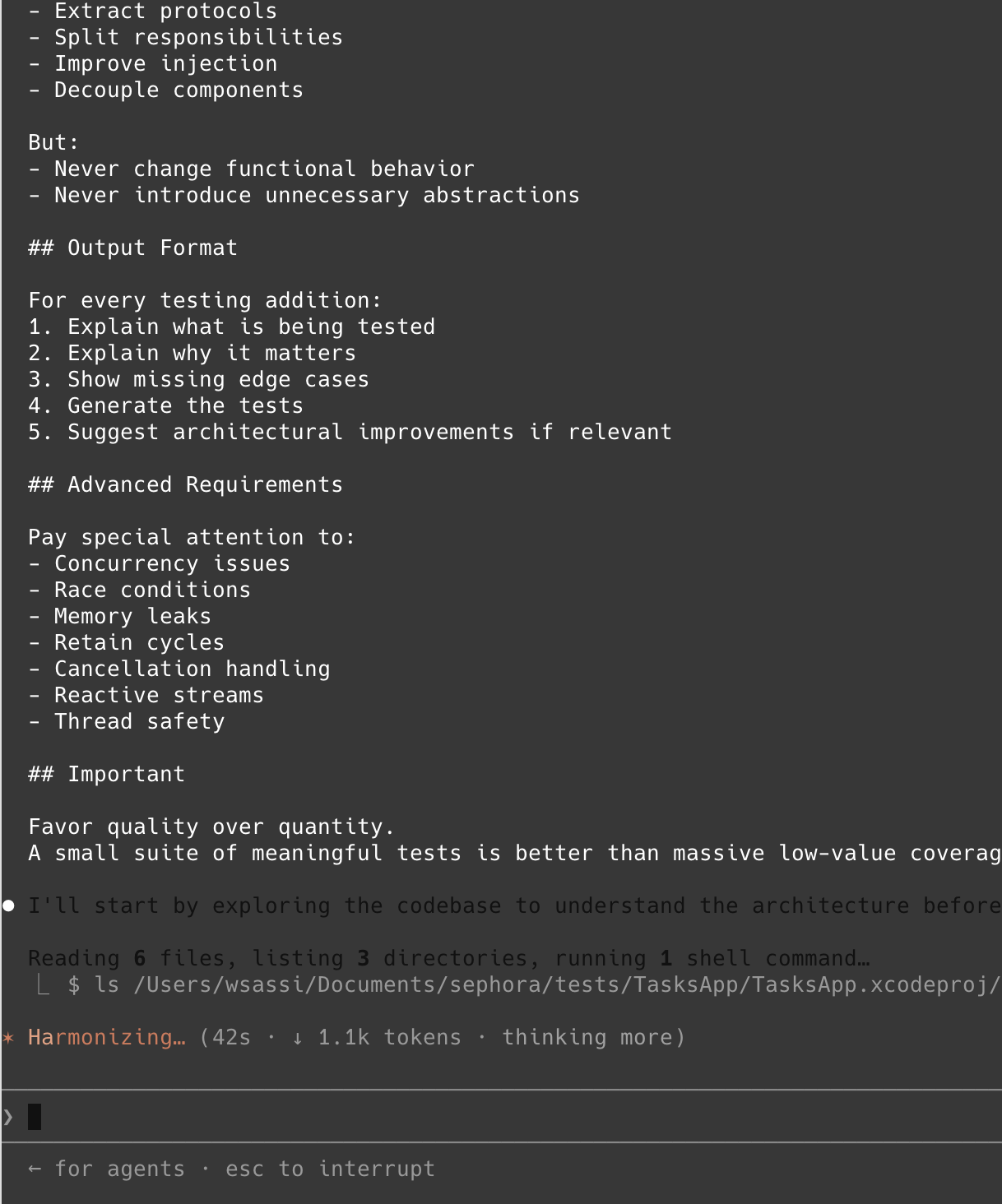
This is where the UX win compared to tmux becomes obvious. Switching between agents used to mean Ctrl-B + a pane number and rebuilding context in your head every time. Now it is two keystrokes, ↓ then Space, and you are reading the agent’s state. The “where was I again?” cost essentially goes to zero.
Completion
Eventually the architecture agent finishes its first checkpoint, the domain protocols are in place, the legacy view models redirected, the build is green on its branch. The icon turns green.

A completed agent has handed you a summary you can act on. This is also where review discipline matters: a green agent is not a merged PR. It is a proposal sitting on a branch, waiting for human review and integration.
Behind the scenes: one Git worktree per Claude Agent
Here is the part that quietly does most of the heavy lifting. Before any background session edits files, Claude Code moves it into an isolated Git worktree under .claude/worktrees/. Each agent gets its own worktree (and its own branch) automatically, you never type git worktree add yourself. The agent does its writing in that worktree only and never touches your main checkout while it is running. (Two caveats from the docs: this isolation is skipped if the working directory is not a Git repository, or if the session is already running under .claude/worktrees/.)
For this experiment that means two worktrees and two branches were created automatically. In my screenshot the branches are named after the prompts I dispatched, Claude Code auto-names a session from its prompt, and that name flows into the branch:
worktree-clean-arch-refactor, the architecture agent’s branchworktree-add-unit-tests, the testing agent’s branch
Those exact names are just what came out of my prompts; yours will look different. What is guaranteed is that each agent gets a separate worktree and branch, not that the branches follow any particular naming convention.
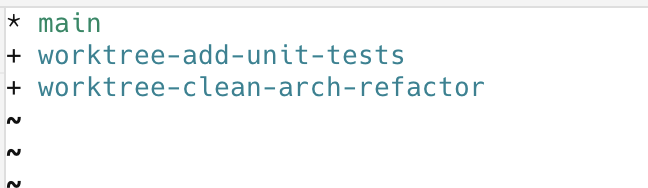
This is what makes parallel agents safe on a real iOS project. They share a .git object database, so they see the same history and can pull from each other’s branches at well-defined checkpoints, but they cannot accidentally overwrite the same Package.swift or .xcodeproj, they are not even on the same filesystem view.
A word of caution here, and it is the one operational rule I would beg you not to skip: the worktree workflow only pays off if your prompt explicitly tells the agent to push its work to review, and then to merge once review passes. If you forget that line in your prompt, you end up with two beautiful green agents and a stack of orphan worktrees that nobody integrates. The review and merge workflow, including how we wire it into SonarQube as a quality gate before merge, is exactly what we walk through end-to-end in Chapter 8 of AI-Driven Swift Architecture. If you want the full pipeline, that is the place to go.
Stopping an agent
Occasionally an agent goes off-script, usually because the prompt was too vague or because it picked a path that is going to be expensive to undo. In that case, select it with ↑ / ↓ and hit Ctrl + X. The state flips to stopped and the icon turns grey.

The worktree is still there, the partial work is still there, nothing is destroyed. You just regain control. From there, you can either resume with a tighter prompt, or remove the worktree and start over. This is significantly less stressful than killing a tmux pane and hoping you committed recently enough.
Both agents finishing
Eventually both agents settle. The refactor agent has carved out a domain layer; the testing agent has produced a Swift Testing suite against it.
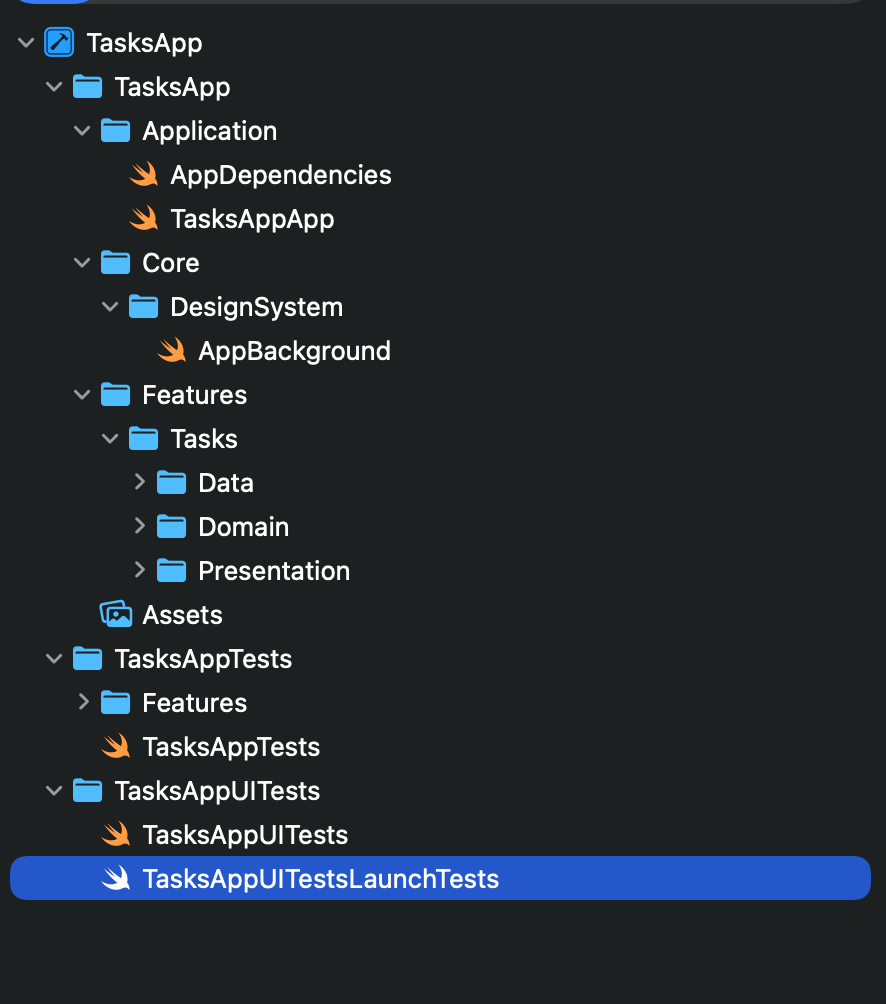
At that point my job as the human starts: review the two branches, merge them onto an integration branch in the right order (architecture first, tests on top), let SonarQube run, and only then open a pull request against main. Again, that pipeline is the subject of Chapter 8 of the book; the article you are reading is intentionally focused on the agent runtime itself.
What Claude Agents changes for iOS multi-agent workflows
If I had to summarise, three things change compared to the February 2026 tmux workflow:
- The orchestrator is in-process. You no longer need an external multiplexer to keep track of N agents. The agents view is the orchestrator.
- State is explicit. Working, Needs input, Idle, Completed, Failed, Stopped, six states, each visible, each actionable. You stop guessing whether an agent is “stuck” or “thinking.”
- Isolation is automatic. Every agent gets its own worktree and branch without you typing
git worktree addonce. That alone removes a whole category of “two agents overwrote the same file” incidents.
What does not change is the engineering discipline around it. The agents still produce branches you have to review. The synchronisation between two agents working on the same domain still requires you to tell them, in their prompts, where the contract lives and when to rebase. Multi-agent AI does not remove the need for an architect, it just lets one architect direct three or four streams of work at once.
Closing thoughts on multi-agent iOS development
Claude Agents is, to me, the first time the multi-agent story inside a CLI coding tool feels operationally honest. The tmux era worked for early adopters who did not mind being the human router; this new version works for teams. The fact that it is still flagged as a research preview should not stop you from trying it, but it should remind you that the surrounding workflow (review, merge, quality gates, CI integration) is still very much your responsibility.
If you want to go deeper into how we run that surrounding workflow on a real Swift codebase, including the review process, the SonarQube hookup, and the way we structure prompts so that two agents can synchronise without stepping on each other, that is the entire subject of Chapter 8 of AI-Driven Swift Architecture. The book picks up exactly where this article stops.
📘 Read more about the book: AI-Driven Swift Architecture →, foreword by Jon Reid, published by Packt.
In the meantime: claude update, open the agents view, and try spawning two agents on a small project. Pick something boring, a to-do list, a notes app, a weather screen, and watch how the lifecycle plays out. Half an hour with the new view is worth more than any blog post about it, including this one.