In Part 1 of this series, we set up the MLX ecosystem and ran a language model locally on Apple Silicon. If you haven’t read it yet, it’s worth starting there.
This article tackles the question that naturally follows: how do you fit a multi-billion parameter model into a device with 8 GB of RAM? The answer is quantization, and understanding it will change how you think about on-device AI.
Introduction: LLMs Are Just Very Large Matrices
Before we can explain quantization, we need to be clear about what we’re actually compressing.
A large language model, at its core, is a collection of weight matrices. These are multi-dimensional arrays of numbers, the learned parameters that encode everything the model knows about language, reasoning, and facts. During inference, the model repeatedly multiplies input vectors by these matrices to produce predictions.
The numbers in these matrices are typically stored as 32-bit floating-point values (float32), where each number takes 4 bytes of memory. That precision makes sense during training, where tiny gradient updates need to be accumulated accurately. But at inference time, you’re not updating weights, you’re just reading them.
Now consider scale. A model like DeepSeek-R1-1.5B has roughly 1.5 billion parameters. At float32:
1.5 × 10⁹ parameters × 4 bytes = ~6 GB of memoryA 7B model exceeds 28 GB. A 70B model needs more than 280 GB. These numbers make it immediately obvious why running state-of-the-art models on a phone, without modification, is impossible.
The Problem: Memory is the Bottleneck
Modern iPhones (iPhone 15 Pro and later) ship with 8 GB of unified memory. Apple Silicon Macs go higher, 16, 32, or 96 GB, but even there, memory is shared between the CPU, GPU, and Neural Engine. There is no dedicated VRAM.
This creates a hard constraint: the entire model, its activations, and the KV cache must fit within the device’s available RAM. If it doesn’t fit, the system kills the process, or the experience degrades to the point of being unusable.
Beyond capacity, there’s another limiting factor: memory bandwidth. Each token generation step requires loading a large portion of the model’s weights from memory into compute units. The speed at which you can move data from RAM to the processor caps your token throughput. Reducing weight size directly reduces how much data must be transferred per token.
Quantization addresses both problems at once.
Quantization Explained
The core idea of quantization is straightforward: represent weights using fewer bits.
Instead of storing each weight as a 32-bit float, you map it to a much smaller integer, commonly 8 bits (int8) or 4 bits (int4). This is not a lossless operation; you are deliberately introducing a small approximation in exchange for massive memory savings.
The Scale Factor Intuition
Imagine you have a set of weights in a given layer, and their values span a range of, say, [-1.2, 0.8]. You want to represent this range using only 256 discrete integer values (the range of an int8, from -128 to 127).
The trick is to find a scale factor s such that:
quantized_value = round(original_value / s)
original_value ≈ quantized_value × s
The scale is computed from the actual range of values in that tensor. At inference time, you store only the integer and the scale. To recover an approximate float, you multiply back.
For int4, you have only 16 possible values (0 to 15 for unsigned, or -8 to 7 for signed). The approximation is coarser, but the memory reduction is dramatic:
| Precision | Bits per weight | Memory for 7B model |
|---|---|---|
| float32 | 32 | ~28 GB |
| int8 | 8 | ~7 GB |
| int4 | 4 | ~3.5 GB |
A 4-bit quantized 7B model fits on a 2021 MacBook Air.
Group-wise Quantization
A naive approach would be to compute a single scale factor for an entire weight matrix. The problem: weight distributions across a large matrix are rarely uniform. Different regions of the matrix may have very different value ranges, and a single global scale cannot capture that variation well.
Group-wise quantization solves this by splitting a weight row into smaller groups, typically 32, 64, or 128 values, and computing an independent scale factor for each group.
This means that within each local group, the quantization is much more faithful to the actual distribution. Groups with tightly clustered values get a precise scale; groups with wider spreads get a broader one. The result is significantly better accuracy compared to per-tensor quantization, with only a modest increase in metadata overhead (one scale per group instead of one per matrix).
MLX uses group-wise quantization by default, with a group size of 64. When you quantize a model with mlx_lm.convert -q, this is what happens under the hood.
Where Quantization Applies: Attention vs. MLP
Not all parts of a transformer model are equally important, or equally large.
A transformer block has two main components:
- Multi-head attention (MHA): Computes relationships between tokens using query, key, and value projections. It is sequence-length dependent and architecturally critical for coherence.
- Feed-forward / MLP layers: A pair of large linear projections with a non-linearity in between. These layers encode factual knowledge and make up the majority of a model’s parameters, typically 2/3 of the total weight count.
MLP Dominates Size
In a standard transformer, the hidden dimension of the MLP is 4× the model dimension. For a 7B model with a hidden size of 4096, the MLP weight matrices are enormous. Quantizing these layers alone captures most of the memory savings.
Attention is More Sensitive
Attention layers, while smaller, tend to be more sensitive to quantization error. The query/key dot products that drive attention patterns are sensitive to precise numerical values, especially for long-context generation. This is why some quantization strategies apply lighter quantization (e.g., int8) to attention projections while using int4 for MLP weights.
MLX’s default quantization applies uniformly, which works well for most use cases. For specialized deployments, mixed-precision quantization is possible with custom configuration.
Trade-offs: Accuracy vs. Performance
Quantization is an approximation, and approximations have costs. Here is an honest picture:
What you gain:
- 4× to 8× reduction in model size
- Proportional reduction in memory bandwidth pressure
- Faster token generation on bandwidth-limited hardware
- The ability to run models that simply would not fit otherwise
What you lose:
- A small amount of output quality, perplexity typically increases by 1–5% for well-implemented 4-bit quantization
- Some numerical precision in edge cases (rare tokens, unusual phrasing, very long contexts)
Why It Works in Practice
The reason quantization works as well as it does comes down to redundancy and overparameterization. Language models are trained with far more parameters than strictly necessary to represent the task. The optimization landscape is smooth and high-dimensional, small perturbations to individual weights rarely compound into meaningful output changes.
Modern quantization techniques go further. Methods like GPTQ (post-training quantization with second-order information) and AWQ (activation-aware weight quantization) use calibration data to find quantized weights that minimize the effect on actual outputs, not just the weight values themselves. MLX’s conversion pipeline builds on these ideas.
For most practical tasks, summarization, coding assistance, Q&A, chat, a well-quantized model is indistinguishable from its full-precision counterpart.
Practical MLX Workflow: Quantizing a Model End-to-End
Let’s walk through converting a real model from Hugging Face to a quantized MLX format, ready for on-device inference.
We’ll use DeepSeek-R1-ReDistill-Qwen-1.5B, a compact reasoning model that is a good fit for mobile deployment.
Step 1, Create a Hugging Face Token
To download gated models and upload your own, you need a Hugging Face account and an access token.
Go to huggingface.co, navigate to Settings → Access Tokens, and create a new token with Read and Write permissions.
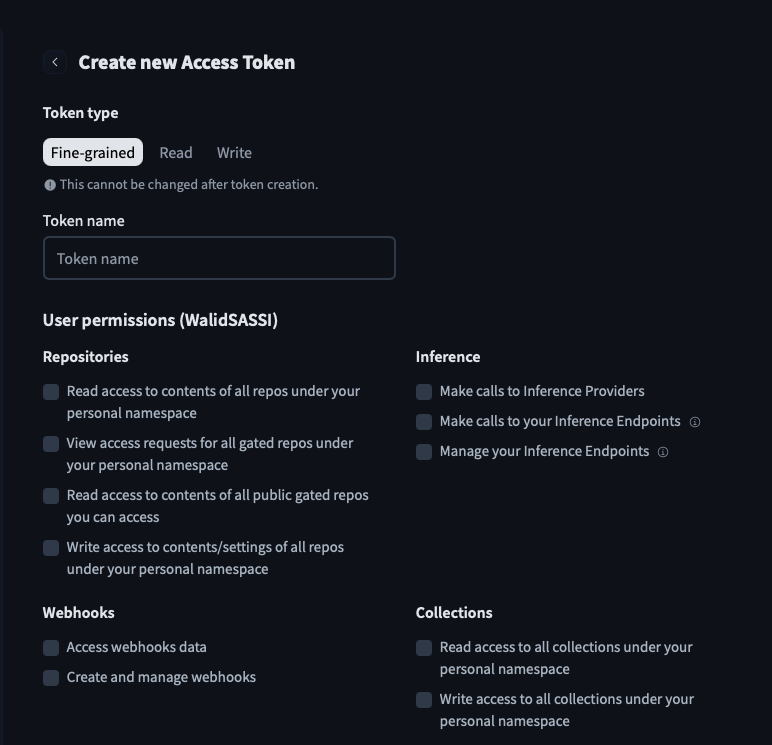
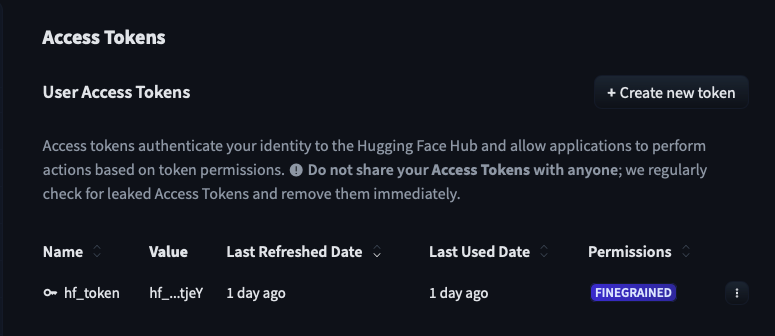
Once created, copy the token, you will only see it once.
Step 2, Install the Hugging Face CLI
The Hugging Face CLI is a Python-based tool for interacting with the Hub. Install it with:
curl -LsSf https://hf.co/cli/install.sh | bashThis installs huggingface-cli into your environment. Restart your terminal or run source ~/.zshrc if the command is not found immediately after.
Step 3, Authenticate
Log in with the token you just created:
huggingface-cli loginPaste your token when prompted. Your credentials are stored locally, so you only need to do this once per machine.
Step 4, Convert and Quantize with MLX
With the Hugging Face CLI authenticated and mlx-lm installed (see Part 1), run:
mlx_lm.convert \
  --hf-path mobiuslabsgmbh/DeepSeek-R1-ReDistill-Qwen-1.5B-v1.0 \
  -q \
  --upload-repo WalidSASSI/deepseek-r1-redistill-qwen-1.5b-mlx
Here is what each flag does:
| Flag | Purpose |
|---|---|
--hf-path |
The source model on Hugging Face Hub (organization/model-name). The CLI downloads the weights automatically. |
-q |
Enable quantization. By default this applies 4-bit group-wise quantization with a group size of 64. |
--upload-repo |
The destination repository on your Hugging Face account. If it does not exist, it is created automatically. |
The conversion process downloads the original weights, quantizes them in-memory using MLX, writes the resulting .safetensors files, and uploads everything to the Hub, including the tokenizer, config, and a config.json that tells MLX-Swift how to load the model.
mlx-lm is installed in your Python environment: pip install mlx-lm. On Apple Silicon, MLX will automatically use the GPU via Metal. No CUDA, no Docker, no cloud instance required.Step 5, Verify the Result on Hugging Face
Once the upload completes, navigate to your repository on Hugging Face. You will see the quantized model files, typically several .safetensors shards, a config.json with the quantization key set, and the tokenizer files.
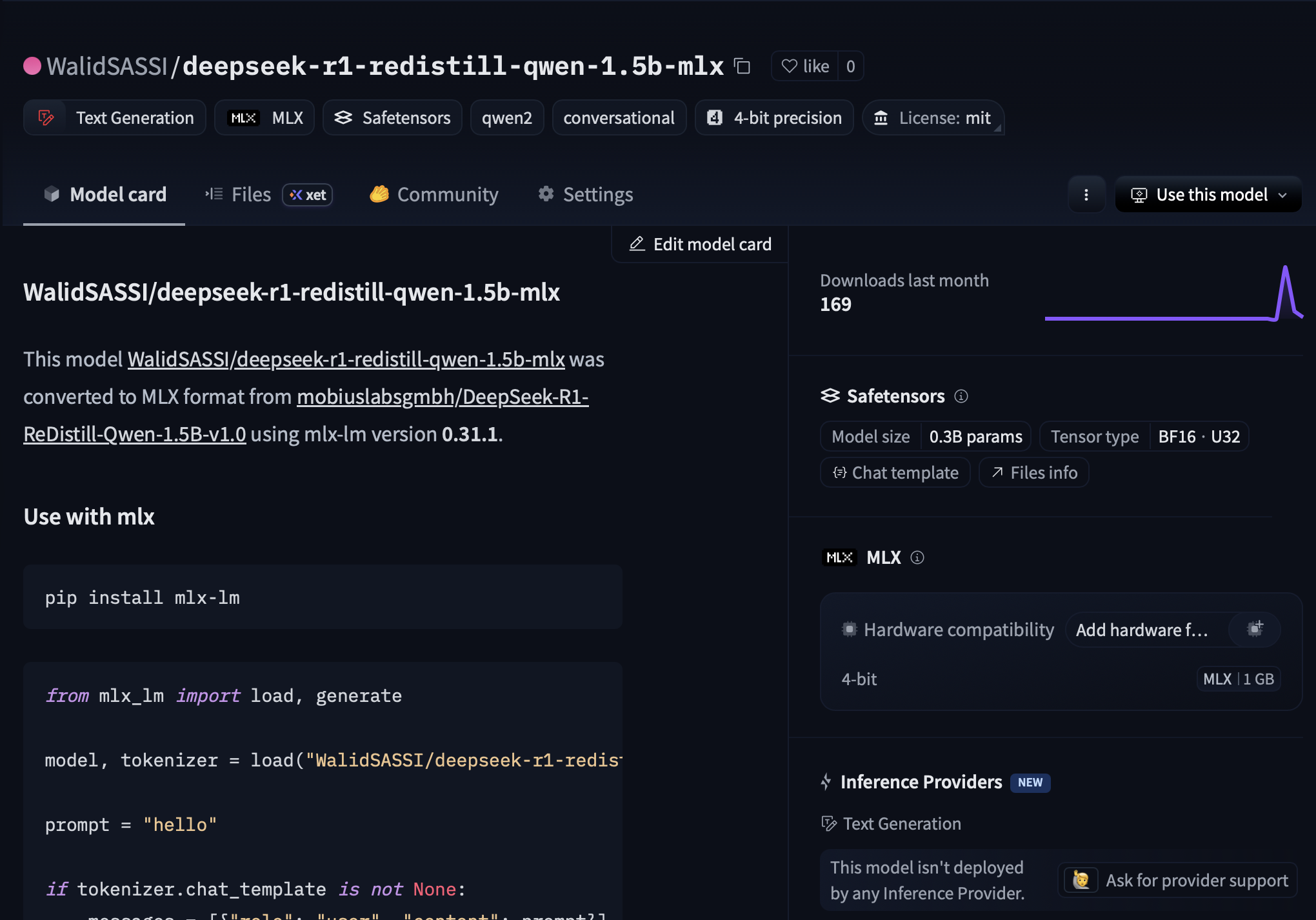
The model is now ready. You can load it directly in your Swift app using the mlx-swift-examples package, or serve it locally with mlx_lm.server.
Why This Matters for Mobile Developers
Quantization is not just a compression trick, it is the technique that makes on-device LLM inference practical. Here is why this matters specifically for iOS and Apple platform developers.
On-Device Inference
Running a model locally means your users’ prompts and responses never leave the device. For applications involving sensitive data, medical notes, personal journals, legal documents, this is not just a performance optimization; it is a fundamental privacy guarantee that you cannot replicate with a cloud API.
Performance Gains
A 4-bit quantized 1.5B model on an M-series chip can generate tokens at 30–60 tokens per second, fast enough for interactive use. The reduction in memory bandwidth pressure means the Neural Engine and GPU can sustain higher throughput without thermal throttling.
Offline Capabilities
Once a quantized model is bundled with your app or downloaded on first launch, it works without a network connection. This opens up use cases in aviation, healthcare, field work, and education that are simply not possible with API-dependent architectures.
A Realistic Deployment Path
The workflow shown here, quantize with MLX, host on Hugging Face, load in Swift, is a complete production pipeline. You control the model, you control the weights, and you control the inference. There are no rate limits, no API costs at scale, and no dependency on a third party staying online.
Conclusion
Quantization is what bridges the gap between the scale of modern language models and the constraints of real devices. By mapping 32-bit weights to 4-bit integers, carefully, group by group, you can reduce model size by 8× while preserving the vast majority of its capability.
For mobile developers, this is a turning point. The models that were running on server farms two years ago are now running on iPhones. The tools are mature, the quality is good, and the workflow, as you just saw, takes a single command.
Quantization is not a workaround. It is the foundation of practical on-device AI.
In Part 3 of this series, we will load this quantized model in a Swift application and stream generated tokens to the UI using AsyncSequence.
References
-
Jacob, B., Kligys, S., Chen, B., Zhu, M., Tang, M., Howard, A., Adam, H., & Kalenichenko, D. (2018). Quantization and Training of Neural Networks for Efficient Integer-Arithmetic-Only Inference. CVPR 2018. arxiv.org/abs/1712.05877
-
Frantar, E., Ashkboos, S., Hoefler, T., & Alistarh, D. (2022). GPTQ: Accurate Post-Training Quantization for Generative Pre-trained Transformers. arxiv.org/abs/2210.17323
-
Lin, J., Tang, J., Tang, H., Yang, S., Dang, X., & Han, S. (2023). AWQ: Activation-aware Weight Quantization for LLM Compression and Acceleration. arxiv.org/abs/2306.00978
-
Vaswani, A., Shazeer, N., Parmar, N., Uszkoreit, J., Jones, L., Gomez, A. N., Kaiser, L., & Polosukhin, I. (2017). Attention Is All You Need. NeurIPS 2017. arxiv.org/abs/1706.03762