The input finally stops being text
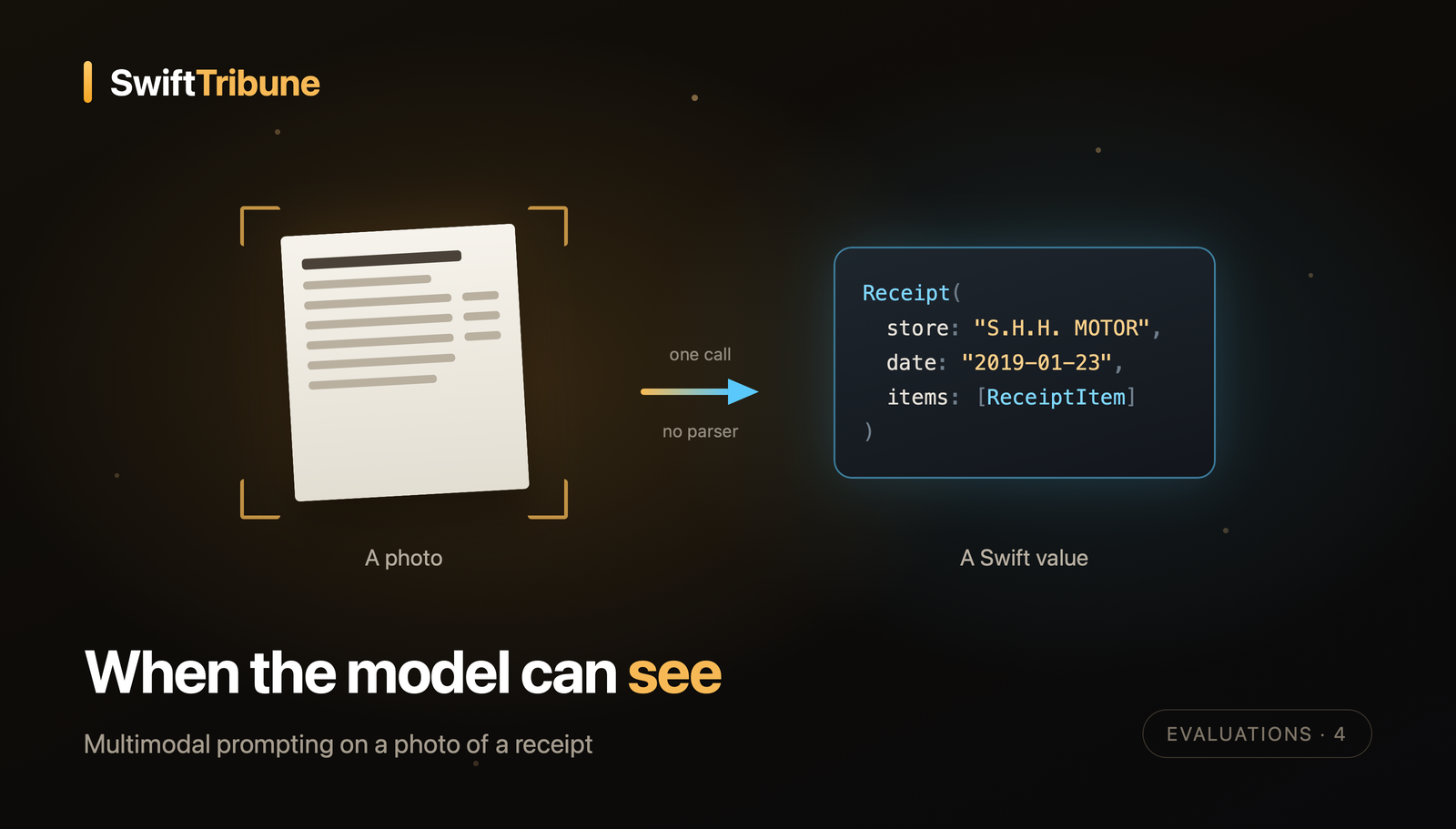
Hand Apple’s on-device model a photo of a store receipt, ask it for a Receipt struct, and it gives you one back. Across 21 real receipts it got the store name right 71% of the time, the date 81%, and scored 0.52 on line items.
Getting to those three numbers takes two articles. This one builds the feature and the dataset. The next one measures it, because the moment your input becomes a photo, every piece of the evaluation from the first three articles needs a twist.
The feature is deliberately mundane: read a receipt, return the store, the date, and every line item with its price. The whole project (app, Swift package, evaluation) is on GitHub, so you can run every number yourself.
A SwiftUI app plus an Evaluations test target that measure how well Apple's on-device model reads photos of store receipts: guided generation, a hand-written reference dataset, three code metrics, and a model judge.
Reading is more than recognizing characters
OCR turns pixels into characters. That is a different job from understanding, and the gap between the two is exactly where this feature lives.
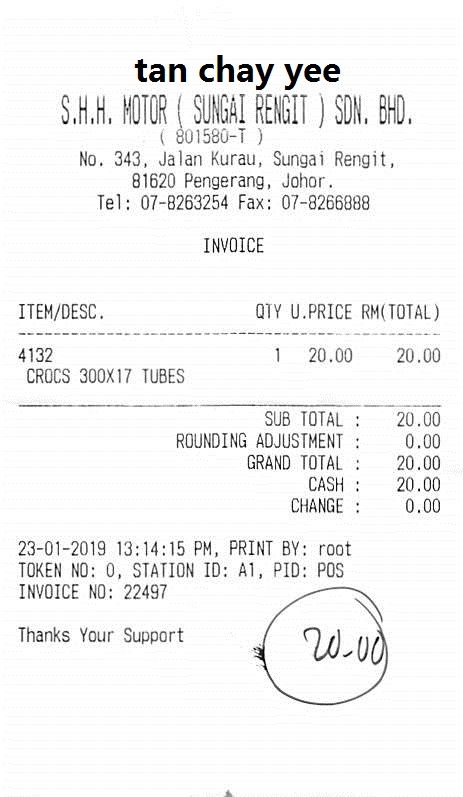
Here are the lines printed on receipt 007, one of our 21 photos. A Vision RecognizeTextRequest returns something very close to this, with a bounding box and a confidence per line:
S.H.H. MOTOR ( SUNGAI RENGIT ) SDN. BHD.
( 801580-T )
No. 343, Jalan Kurau, Sungai Rengit,
81620 Pengerang, Johor.
INVOICE
ITEM/DESC.                QTY U.PRICE RM(TOTAL)
4132                        1   20.00     20.00
 CROCS 300X17 TUBES
SUB TOTAL :                               20.00
GRAND TOTAL :                             20.00
CASH :                                    20.00
23-01-2019 13:14:15 PM, PRINT BY: root
Every character is there, and an app still can’t do much with it. Which line is the store? Is 4132 an item, or the product code of the line below? Is 23-01-2019 day first or month first, and how would you know on a receipt printed 03-01-2019? We answer those without noticing, because we read the layout as much as the letters.
Before WWDC 2026 the answer was a pipeline: Vision for the characters, then a parser or a language model for the meaning. Two stages, two kinds of failure, but at least each one testable on its own. Multimodal prompting collapses both into one call, which is nicer to write and harder to trust. The model can still misread a character, and it can now also produce a field that looks perfectly plausible and simply isn’t on the paper. One step means one thing to test: the final answer.
Describing the answer before asking for it
With guided generation you don’t parse text, you describe the answer as a Swift type:
@Generable(description: "Fields read from a photo of a store receipt")
public struct Receipt: Codable, Equatable, Sendable {
    @Guide(description: "Store or merchant name exactly as printed at the top of the receipt")
    public var store: String

    @Guide(description: "Purchase date in ISO 8601 format (YYYY-MM-DD)", #/\d{4}-\d{2}-\d{2}/#)
    public var date: String

    // Bounded so a model looping on an unreadable receipt can't fill the 4,096-token context.
    @Guide(description: "Purchased line items, in the order they are printed", .maximumCount(40))
    public var items: [ReceiptItem]
}

@Generable
public struct ReceiptItem: Codable, Equatable, Sendable {
    @Guide(description: "Item label exactly as printed, in its original language")
    public var name: String

    @Guide(description: "Line total for this item, in the receipt's currency")
    public var price: Double
}
The wording of the guides does real work. “Exactly as printed” tells the model to copy rather than correct or translate, which matters when we later compare its answer with the paper. “Line total” settles an ambiguity receipts are full of, since one line can show a quantity, a unit price, and a total side by side.
The date’s regex is the interesting one, and the cautionary one. It constrains the output to YYYY-MM-DD, which makes comparison trivial. It does nothing for truth. On a receipt printed 18-11-18, the model confidently answered 2024-11-18, a perfectly formatted date that appears nowhere on the paper.
@Guide regexes, enums, and counts make answers easy to check. They never make them right. That gap is the whole reason an evaluation exists.The .maximumCount(40) cap arrived after a failure, and the failure taught us something. On the iPhone simulator, one receipt died with “The session’s transcript exceeded the model’s context size.” The image was the obvious suspect, so we measured: instructions, schema, prompt, and image together came to about 380 tokens out of 4,096. The image was cheap. The problem was the answer. That receipt is a small ticket scanned on an A4 page, nearly unreadable, and instead of giving up the model kept inventing items until it ran out of room. Forty items, against nine for the longest real receipt in the dataset, was enough.
One call, carefully shaped
public static func extract(
    from image: CGImage,
    orientation: CGImagePropertyOrientation? = nil,
    prompt: Prompt = prompt
) async throws -> Receipt {
    let session = LanguageModelSession(instructions: instructions)
    // Greedy sampling makes runs reproducible, so score changes come from prompt changes.
    let response = try await session.respond(
        generating: Receipt.self,
        options: GenerationOptions(samplingMode: .greedy)
    ) {
        prompt
        Attachment(image, orientation: orientation)
    }
    return response.content
}
Four decisions are packed into those lines.
Instructions carry what the guides can’t. Ours end with “List every purchased item once with its line total; skip subtotals, taxes, payments, and change.” Without that sentence, SUB TOTAL and CASH look a lot like items to a model that only has the layout to go on.
A fresh session per receipt. A session keeps a transcript, and the transcript counts against the same 4,096 tokens. Reusing one session across 21 photos would pile up images and answers, and let earlier receipts influence later ones.
Attachment takes the orientation. Photos from a camera are often stored sideways with an EXIF tag explaining the rotation. Our loader reads that tag without applying it and passes it along, so the rotation happens exactly once. None of our 21 photos needed it. A receipt shot sideways would have.
Greedy sampling, not creativity. For a feature that copies facts off a piece of paper, randomness is just noise in your scores. Two consecutive runs returned exactly the same fields for all 21 receipts, which means when a score moves, we know we moved it.
Here is what came back for receipt 007:
Receipt(
    store: "S.H.H. MOTOR (SUNGAI RENGIT) SDN. BHD.",
    date: "2019-01-23",
    items: [
        ReceiptItem(name: "4132", price: 20.00),
        ReceiptItem(name: "CROCS 300X17 TUBES", price: 20.00)
    ]
)
Store right. Date right, converted from 23-01-2019 without being asked twice. Items wrong, or half wrong: the product code 4132 became an item of its own. Is that a pass? Depends entirely on how you count, and counting needs a reference to count against.
A dataset someone has to look at
When the input is text, the expected answer sits next to the prompt. When the input is a photo, a human has to open each image and write down what’s on it.
Our photos come from SROIE, the ICDAR 2019 Robust Reading Challenge on scanned receipts. SROIE annotates the company, address, date, and total, but not the line items, which we also want to score, so we transcribed our own references: 21 receipts, 58 items, one JSON entry per photo.
"007": {
  "group": "clean",
  "store": "S.H.H. MOTOR (SUNGAI RENGIT) SDN. BHD.",
  "date": "2019-01-23",
  "items": [{ "name": "CROCS 300X17 TUBES", "price": 20.00 }]
}
The reference decodes into the same Receipt type the model produces, so every later comparison is between two Receipt values. The extra group field describes the photo’s condition, clean or crumpled, and the report averages every metric per group so a weakness on bad captures doesn’t dissolve into the global mean. Note that it describes the paper, not the language. A receipt isn’t harder to read because it isn’t in French, and grouping by language would hide the more interesting question.
Carrying that extra field means a custom sample type rather than the framework’s ModelSample:
struct ReceiptSample: ModelSampleProtocol {
    let key: String
    let group: ReceiptGroup
    let input: ModelSampleInput
    let output: ModelSampleOutput<Receipt, TrajectoryExpectation>

    var expected: Receipt? { output.value }
}
Transcribing was slower and more opinionated than expected, and that is worth saying out loud. The McDonald’s receipt prints the operating company at the top and the outlet’s name a few lines below; we kept the company because our instructions say “printed at the top”, and the model, quite reasonably, picked the outlet. One drink included in a meal has no printed price, so its reference price is zero. A few labels are half hidden by a punch hole, so we kept only the readable part.
The dataset also had surprises we found only by transcribing it: all 21 photos are Malaysian receipts, only two are genuinely crumpled, and two pairs of photos are byte-for-byte the same file, which means they quietly count twice in every average. A dataset is code. Review it like code.
Next: turning all that into a score
We now have a feature that answers, and a reference for every photo. What we don’t have yet is a way to say how good an answer is, and the naive version fails immediately: comparing store names with == fails almost every receipt, because the model drops a stray space or a punch hole eats half a label.
Part five picks up exactly there: a text comparison that forgives formatting without forgiving content, an F1 score for lists that can be partly right, a judge that never sees the photo, and the numbers the whole thing returned on 21 receipts.
Key takeaways
- Multimodal prompting is a small API change and a large testing change. One
Attachmentin thePromptBuilderreplaces the whole OCR pipeline, and collapses two testable stages into a single answer you have to measure end to end. - Guides constrain shape, never truth. A regex-formatted date can still be a date printed nowhere on the paper.
- Cap unbounded arrays. An unreadable input can send the model looping until it blows the 4,096-token context. The image itself is cheap: prompt plus photo came to roughly 380 tokens.
- A fresh session per sample, and greedy sampling. Independent extractions, reproducible runs, and a score that only moves when you move it.
- The dataset is the expensive part. Someone has to look at every photo and write the expected answer, and transcribing it is where you discover duplicate files, mislabelled groups, and genuinely ambiguous fields.
The series
- Testing the Untestable: A Deep Dive into Apple’s Evaluations Framework
- When Code Can’t Judge Quality: Model-as-Judge Evaluators
- Two Refinements That Sharpen a Model-as-Judge Evaluator
- This article, where the input stops being text.
- Scoring What the Model Read: Metrics, a Judge, and 21 Receipts
Receipt photos come from the ICDAR 2019 SROIE dataset, as distributed in zzzDavid/ICDAR-2019-SROIE.