How a small annoyance with certificates and provisioning profiles became a vibe-coded side project, and then a native toolbox for Apple-platform developers.
Every iOS developer knows this moment. You want a simple answer: which signing certificates do I have, which ones are about to expire, and which provisioning profiles depend on them?
Getting that answer is rarely simple. You open Keychain Access and scroll through a list of nearly identical “Apple Development” and “Apple Distribution” entries. You check expiry dates one by one. Then you switch to the developer portal to work out which profiles still reference which certificate.
None of it is hard. It’s just friction, the kind you stop noticing because it has always been there.
Building the tool I wanted
For a long time, I accepted that friction as part of the job. Eventually I asked a different question: what if I just built the tool I wanted? A small native Mac app that shows my certificates and profiles in one place and tells me what needs attention.
It was also the right excuse to try something I’d been curious about: vibe coding. Instead of starting from a blank Xcode project and writing every line myself, I described what I wanted, let an AI assistant produce code, ran it, and iterated through conversation.
It works, and it is fast. Turning an idea into something that runs on your Mac takes far less time than it used to. But it doesn’t make the engineering disappear. Code signing is a domain where details matter: a certificate without its private key, a profile that doesn’t match the device or the entitlements. A model can write code that looks right, but “looks right” isn’t good enough when the app sits next to your keychain. I still had to read the code, test it, and decide what the app should and shouldn’t do.
In my experience, vibe coding doesn’t remove the work. It moves it. Less typing, more reviewing, more deciding.
That caution shows in Sindri today. It reads by default. Nothing is renewed, revoked or deleted without confirmation, and every change goes into an audit log. What it can’t read is reported as unavailable rather than filled with a placeholder.
When a utility grows
Once the certificate view worked, the next questions came naturally, because they were the same kind of question. Why won’t this project sign? Which Xcode is active right now? Where is that build in TestFlight? Each one meant opening another app, another page, another terminal command.
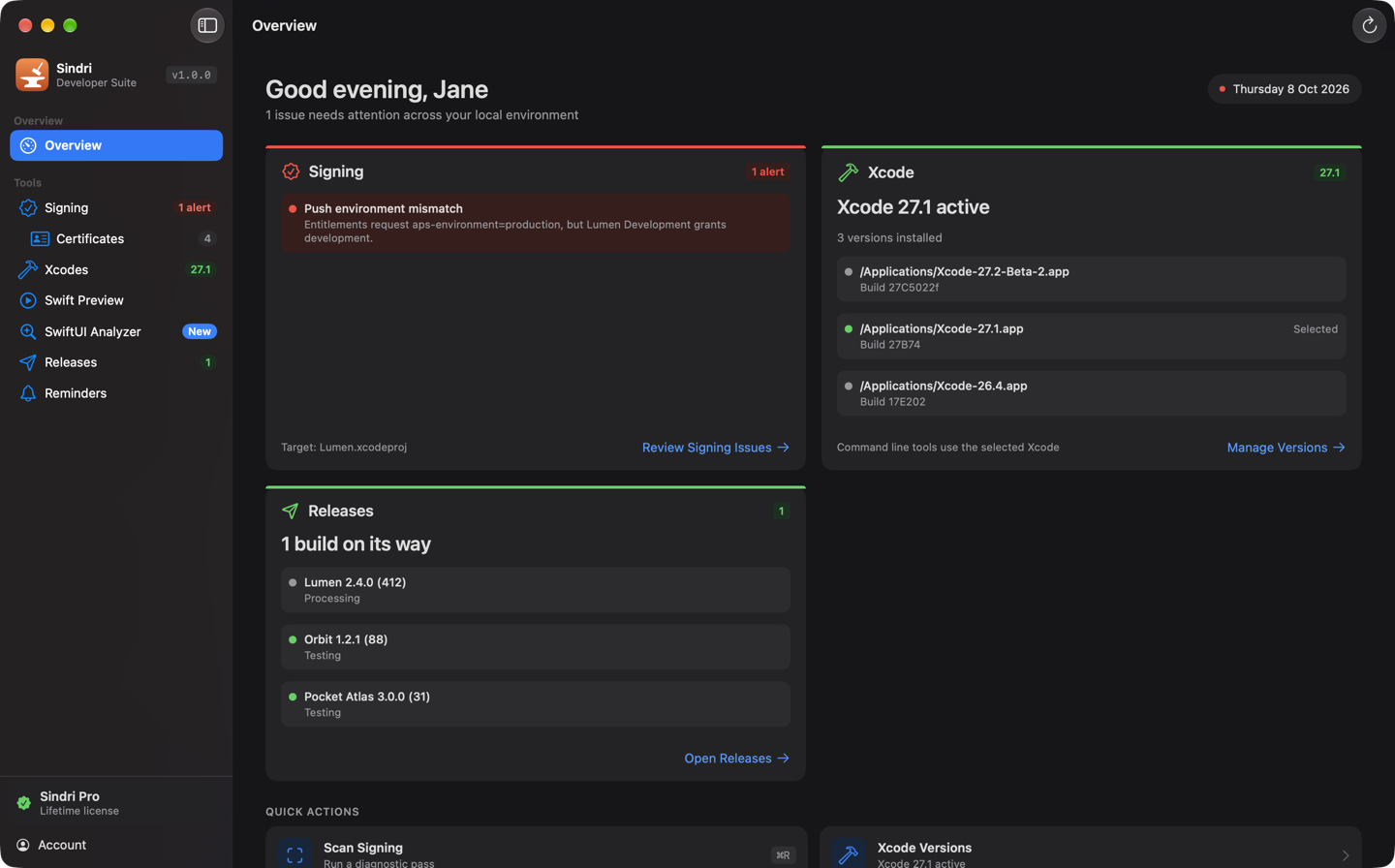
So the small utility grew. It became Sindri: seven tools in one native Mac app. Alongside signing diagnostics and certificate management, it now switches Xcode versions, previews Swift code, analyzes SwiftUI views, follows releases in App Store Connect, and reminds you before certificates and profiles expire.
The two tools that started it all, Signing and Certificates, are still at the center, and they stay free.
Start with the annoyance
Sindri didn’t begin with a business plan or a product roadmap. It began with a list of certificates I was tired of scrolling through.
I think that’s worth remembering. Some of the most useful developer tools don’t start from an ambitious vision. They start when you notice a small annoyance in your own workflow and decide not to put up with it any longer. AI-assisted development makes acting on that decision much easier, as long as you’re still the one doing the engineering.
If any of this sounds familiar, you can try Sindri at getsindri.app. I’d love to hear which small frustration it removes from your day.